
Case study01 · OBSS
Estimation Agentfrom client brief to UX/UI estimate
An agent that turns RFPs and feature lists into UI/UX effort estimates, using past projects to generate proposal-ready Excel sheets. It cut the typical estimation turnaround from 4–5 working days to 1–2 days, while keeping every assumption visible and every estimate open to human review.
01
Context
At OBSS, design effort is part of most client proposals. Turning a client RFP into a UI/UX estimate meant interpreting requirements, identifying potential flows and screens, and assigning separate UX and UI person-days, then assembling the results in Excel.
The process typically took 4–5 days, and estimates prepared by different people could vary in detail and structure. The output feeds the sales team's proposal preparation: a structured starting point, not a final price or commitment.
02
The challenge
Problem statementHow might we make UI/UX estimation faster and more consistent, while keeping assumptions visible and every estimate open to human review?
03
Key decisions
Estimate by function, not by screen count
The agent breaks a brief into functions, lists the likely flows and screens under each, and estimates UX and UI separately per function. The unit of estimation matches how designers actually scope work.
Anchor every number to history
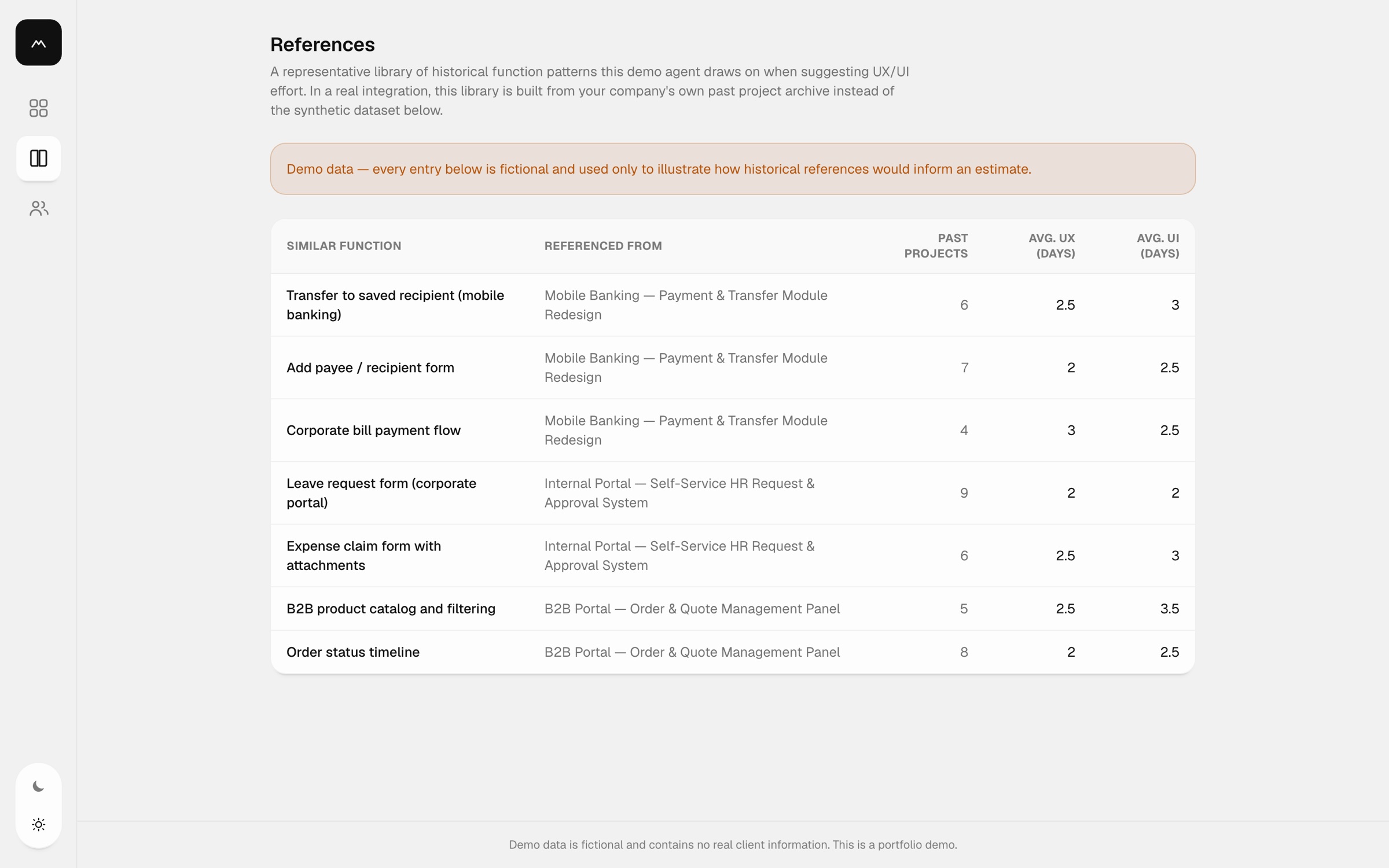
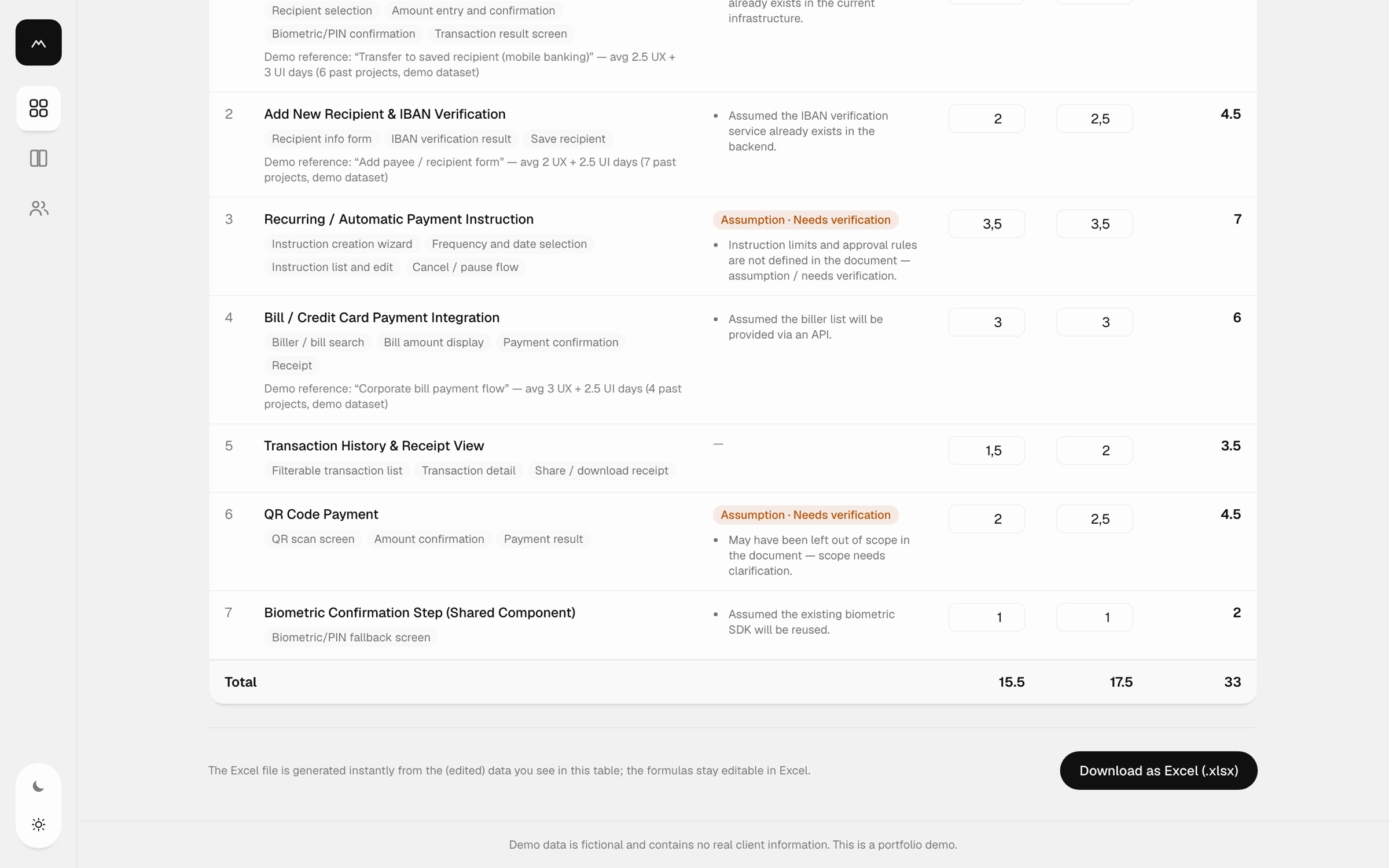
I used our past estimation sheets as the agent's reference base. Each function is matched to similar functions from past projects, and the row shows the reference it drew on: the average UX and UI days and how many projects that average is based on.
Make uncertainty explicit
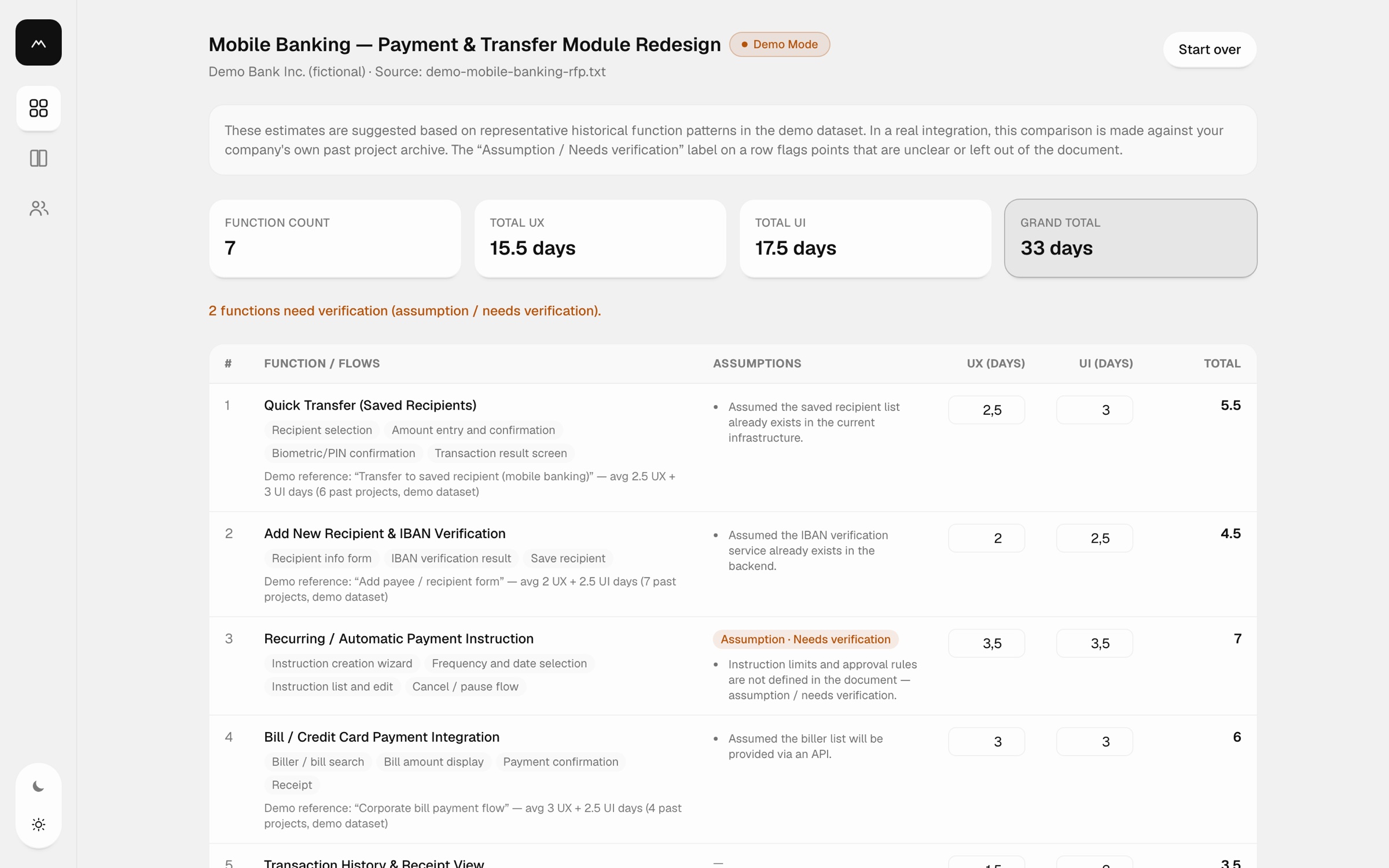
Every row carries its assumptions. When the brief leaves something open, such as approval rules or whether a feature is in scope, the row is flagged Assumption · Needs verification, and the summary counts how many functions still need an answer.
Show the work while it runs
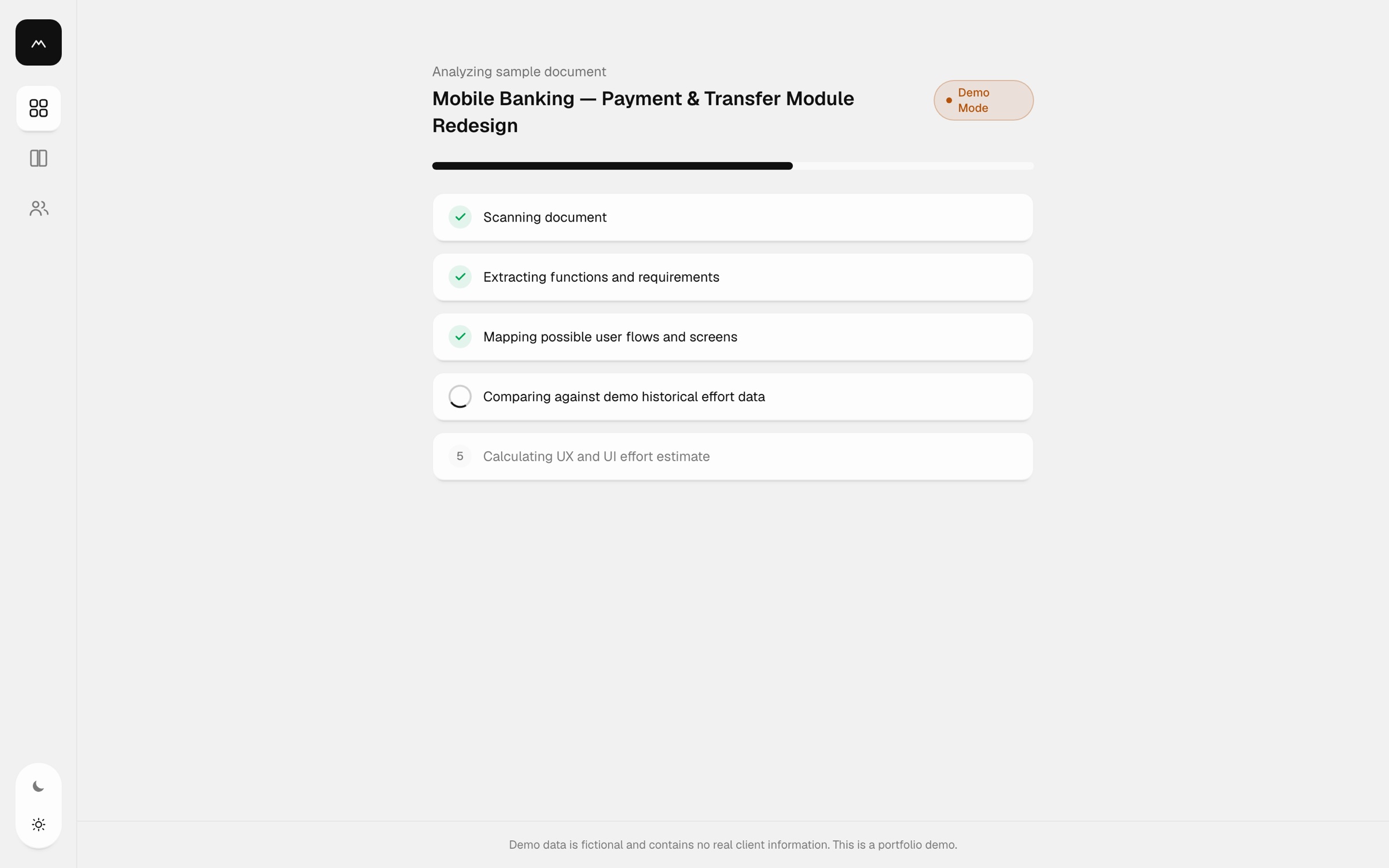
Instead of a spinner, the analysis runs through five visible steps: scanning the document, extracting functions and requirements, mapping flows and screens, comparing against historical effort, and calculating the estimate.
Keep people in control
The estimate is a draft. Every UX and UI value is editable, totals update as you go, and the Excel export is generated from the edited table with formulas that stay editable for sales.
Private by default
Client documents are sensitive. In the demo, uploaded files are processed only in the browser and never sent to a server, and every sample is clearly marked as fictional.
04
The solution
A focused three-step flow: upload or pick a document, watch the analysis, then edit and export. Supporting pages give the team the reference library and the people who use it.
Start from any brief
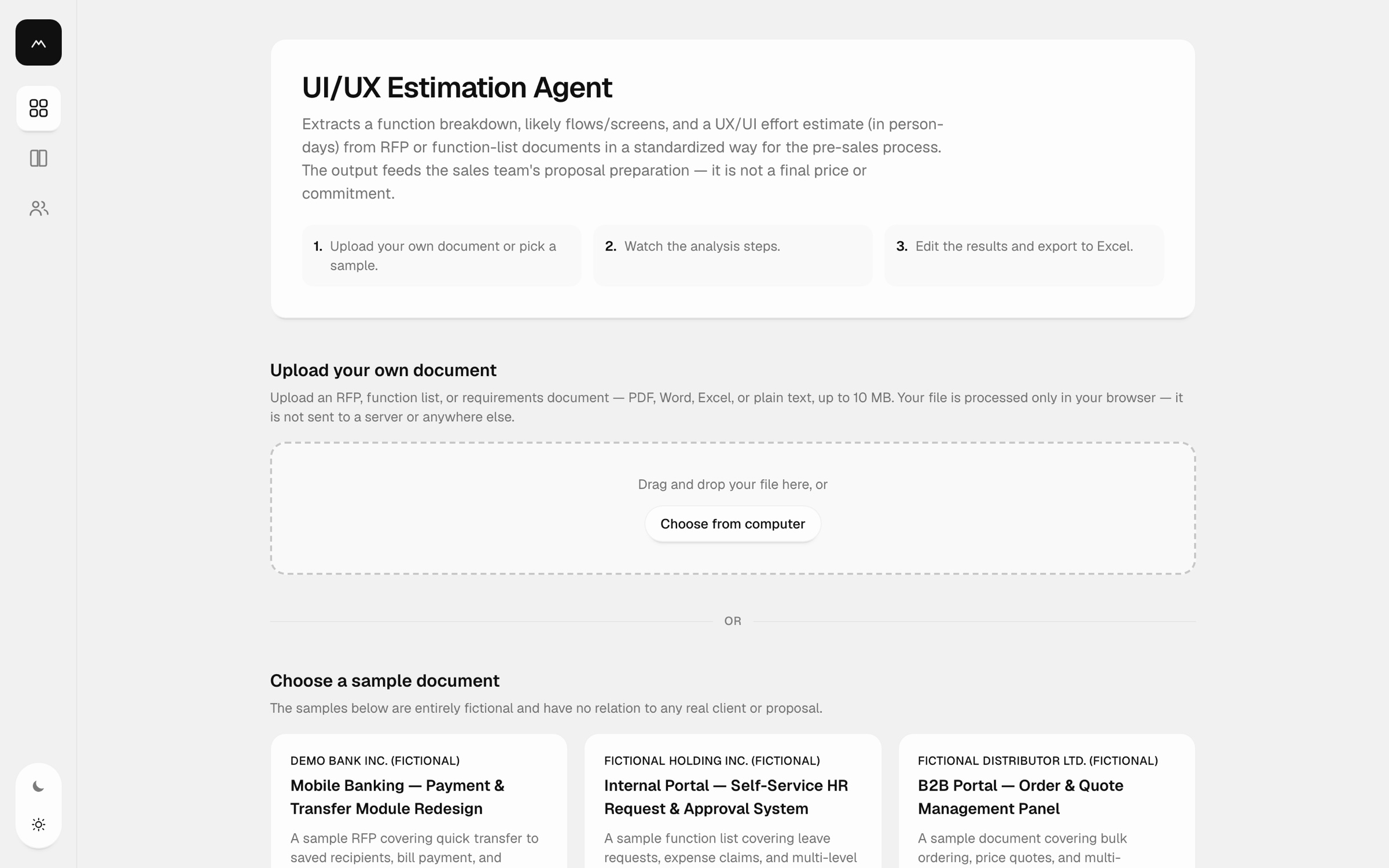
Step 1Drop in an RFP, function list or requirements document up to 10 MB, or try one of three fictional sample briefs covering mobile banking, an HR self-service portal and a B2B ordering panel.
Review the estimate
Step 2The result opens with the totals (function count, UX days, UI days, grand total) and a clear count of functions that need verification. Below, each function lists its flows, assumptions and the historical reference behind its numbers.
Edit and export
Step 3Adjust any value in place and download the table as an Excel file for the proposal, with formulas intact.
Built for the pre-sales team
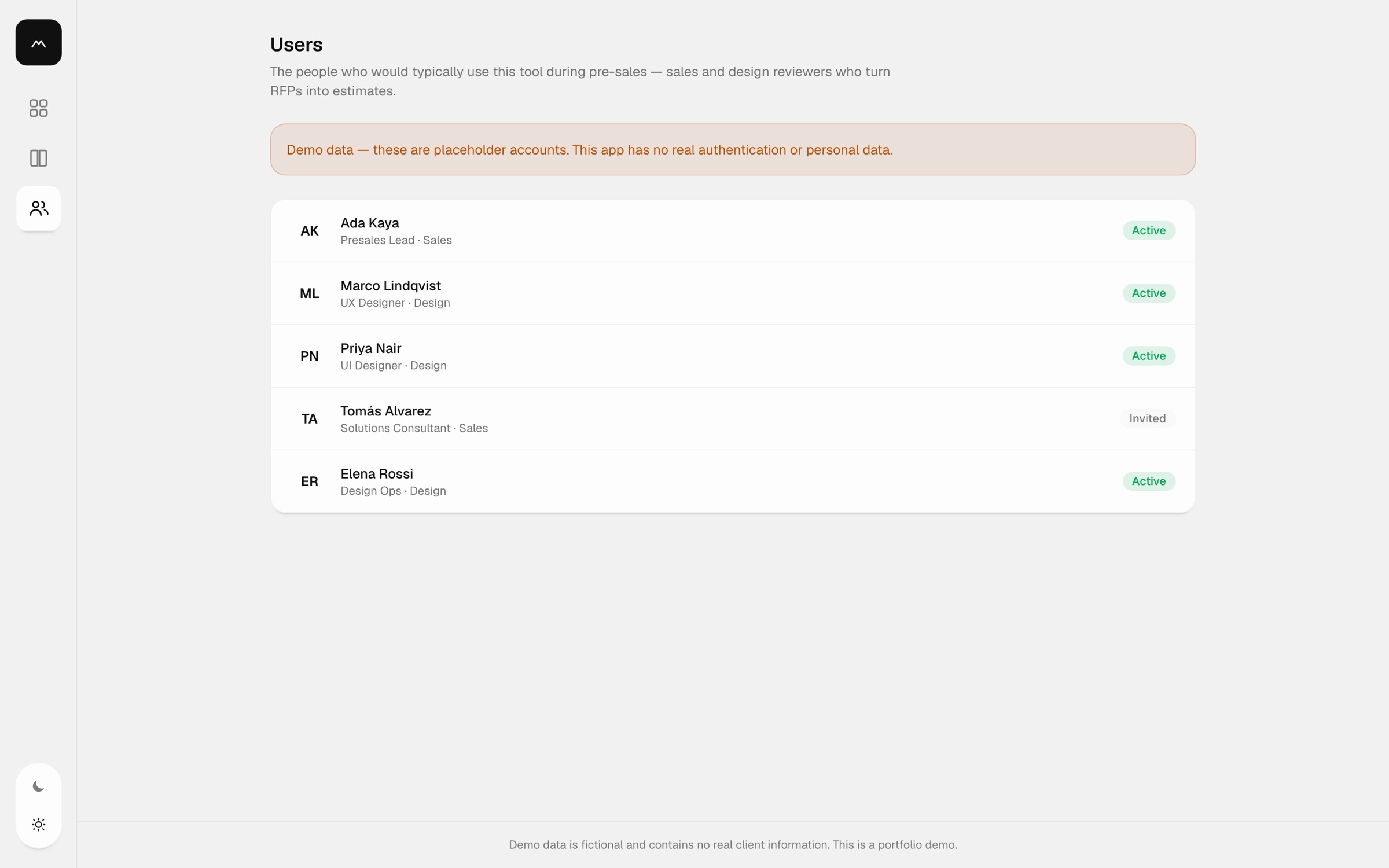
UsersThe people who turn RFPs into estimates, including presales leads, solutions consultants, UX and UI designers and design ops, work from the same tool and the same reference library.
Demo Prototype
InteractiveTry it yourself: pick one of the fictional sample briefs, watch the analysis run, then edit the estimate and export it to Excel.
05
Impact
The agent reduced the typical UI/UX estimation turnaround from 4–5 working days to 1–2 days. By turning incoming client documents into a consistent breakdown of features with separate UX and UI person-day estimates, it gave the sales team a clearer starting point for proposals.
Estimates remain open to human review.
06
Takeaways
Explainability is the feature
People act on numbers they can trace. Showing the reference behind each estimate mattered more than making the estimate itself cleverer.
Design the uncertainty
Flagging what a brief leaves out makes the estimate more honest and gives sales concrete questions to take back to the client.
Designers can build the tool
Designing and building it myself meant iterating on the real product instead of on mockups of it, and getting from idea to a working tool in two days.
Super App Ecosystem
Updated last, 2026.