
Case study03 · Firefly
Supply & AdOps Hubone platform for a street-level ad network
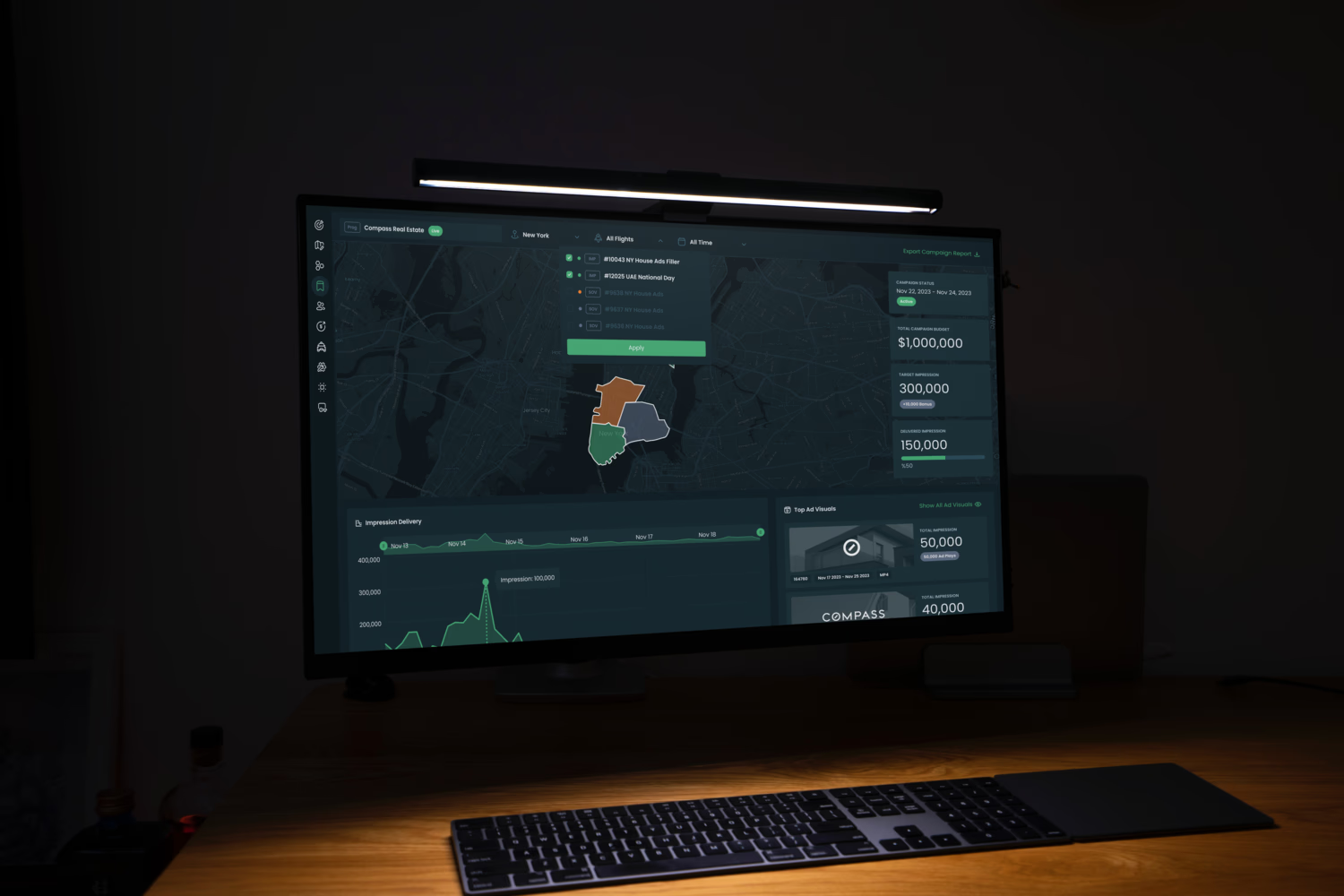
Firefly runs digital screens on rideshare and taxi roofs across US cities. Behind every campaign, operations teams manage drivers, hardware, inventory and advertisers. The “all services under one umbrella” platform brings Supply Ops and AdOps together on a new design system, improving the experience for both customers and employees.
01
Context
Firefly Supply Ops covers the physical side of the network: vehicle logistics, driver onboarding, inventory tracking and the deployment of smart screens on cars. Firefly AdOps covers the commercial side: planning, selling and optimising digital advertising campaigns.
Both had grown one service at a time. Sales, operations, support and, increasingly, advertisers themselves were all working with the same data from very different angles.

02
The problem
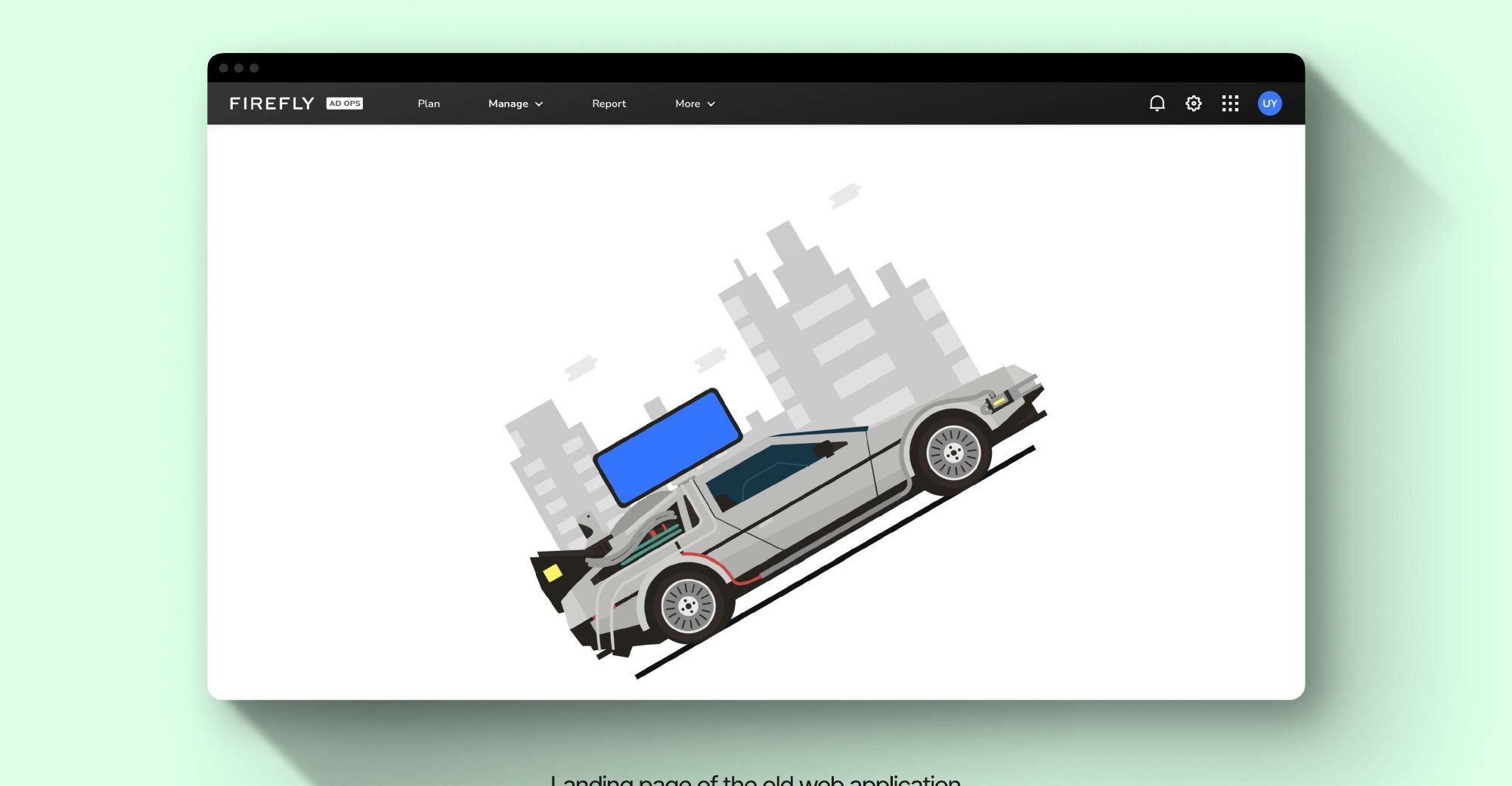
The legacy AdOps app worked, but it had been built feature by feature. Research and stakeholder sessions kept surfacing the same three problems.
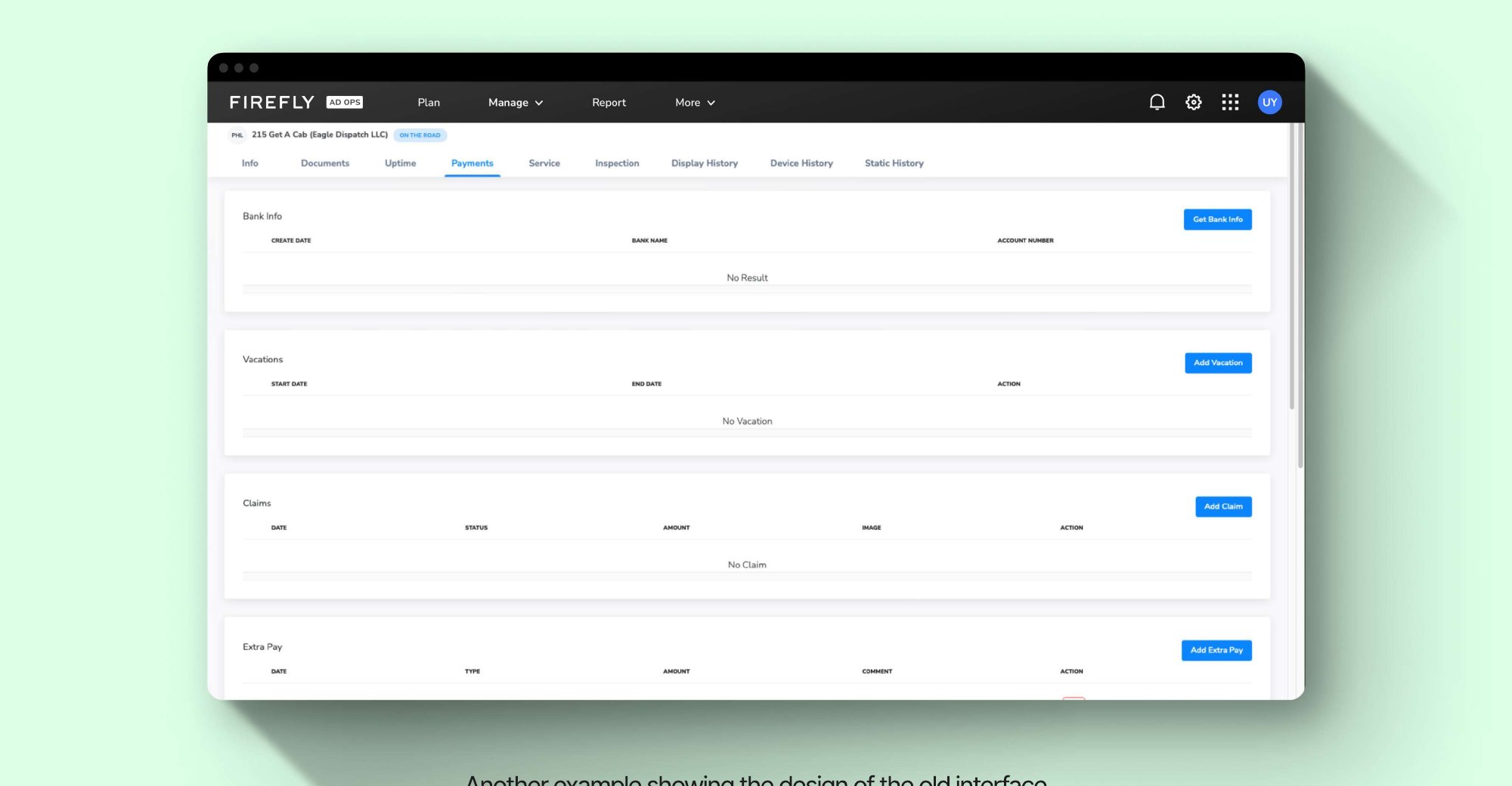
Problem statementHow might we build a design system that serves diverse user needs without disrupting their existing behaviours, and ultimately boosts sales once customers can use it themselves?
03
Key decisions
Map the system before redrawing it
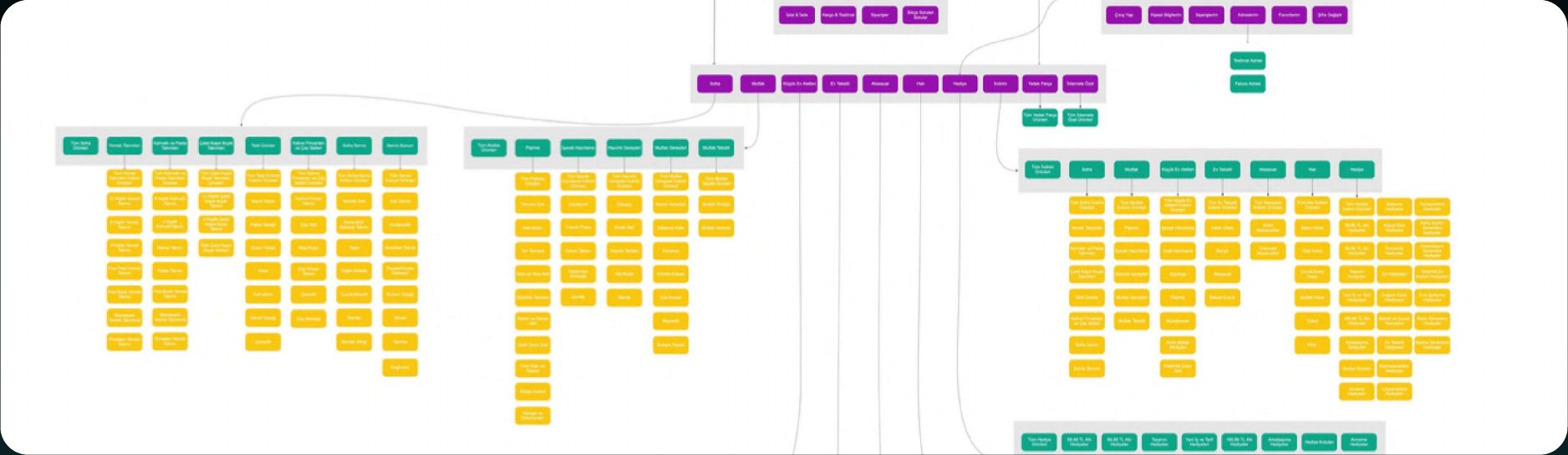
Working closely with the product managers and running stakeholder interviews, I reviewed the platform to understand user needs and business goals, then mapped every user flow into a single information architecture. That let the redesign reorganise navigation, and absorb future products, without dropping any of the paths people already relied on.
Foundations first: a design language system
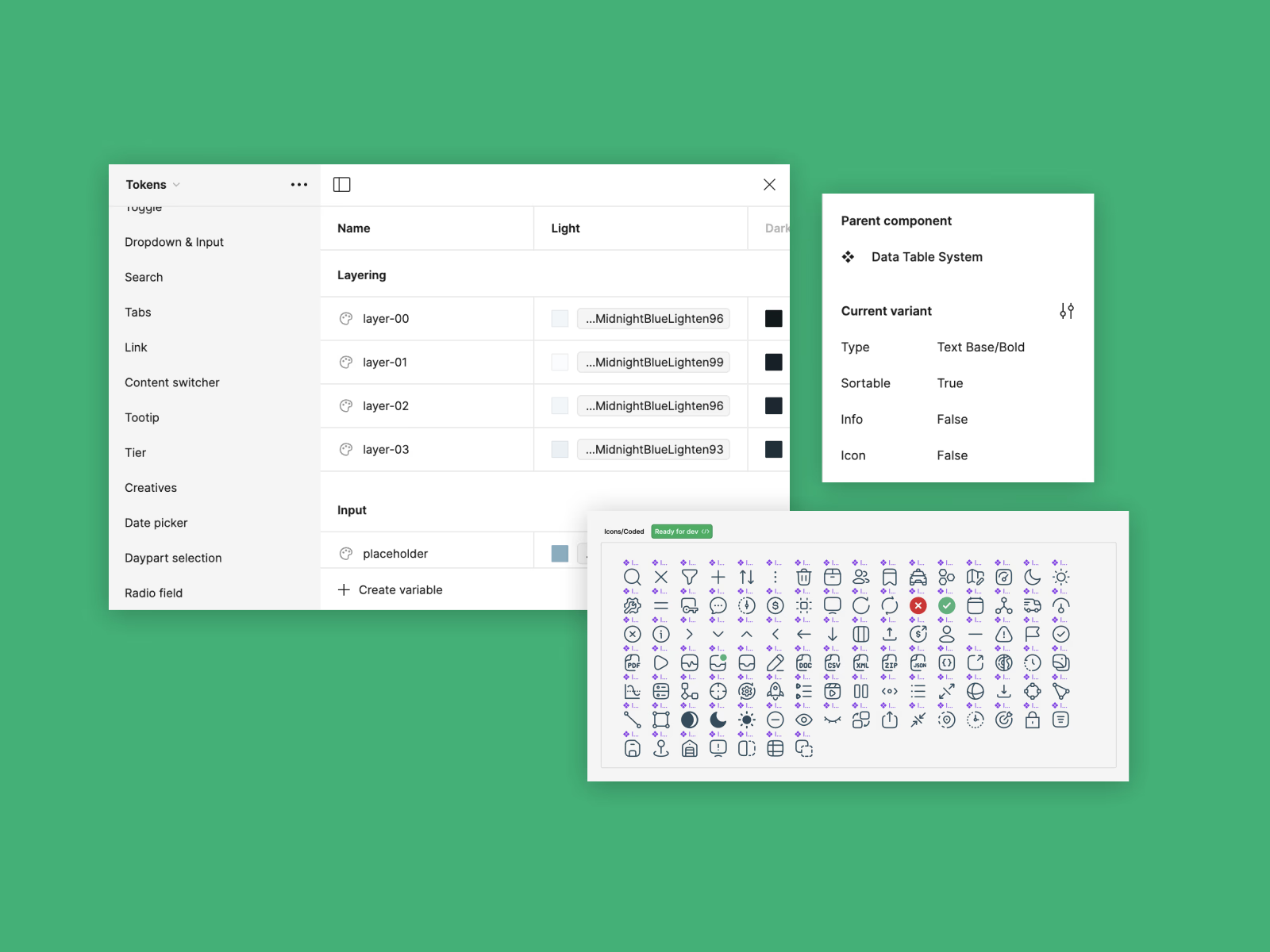
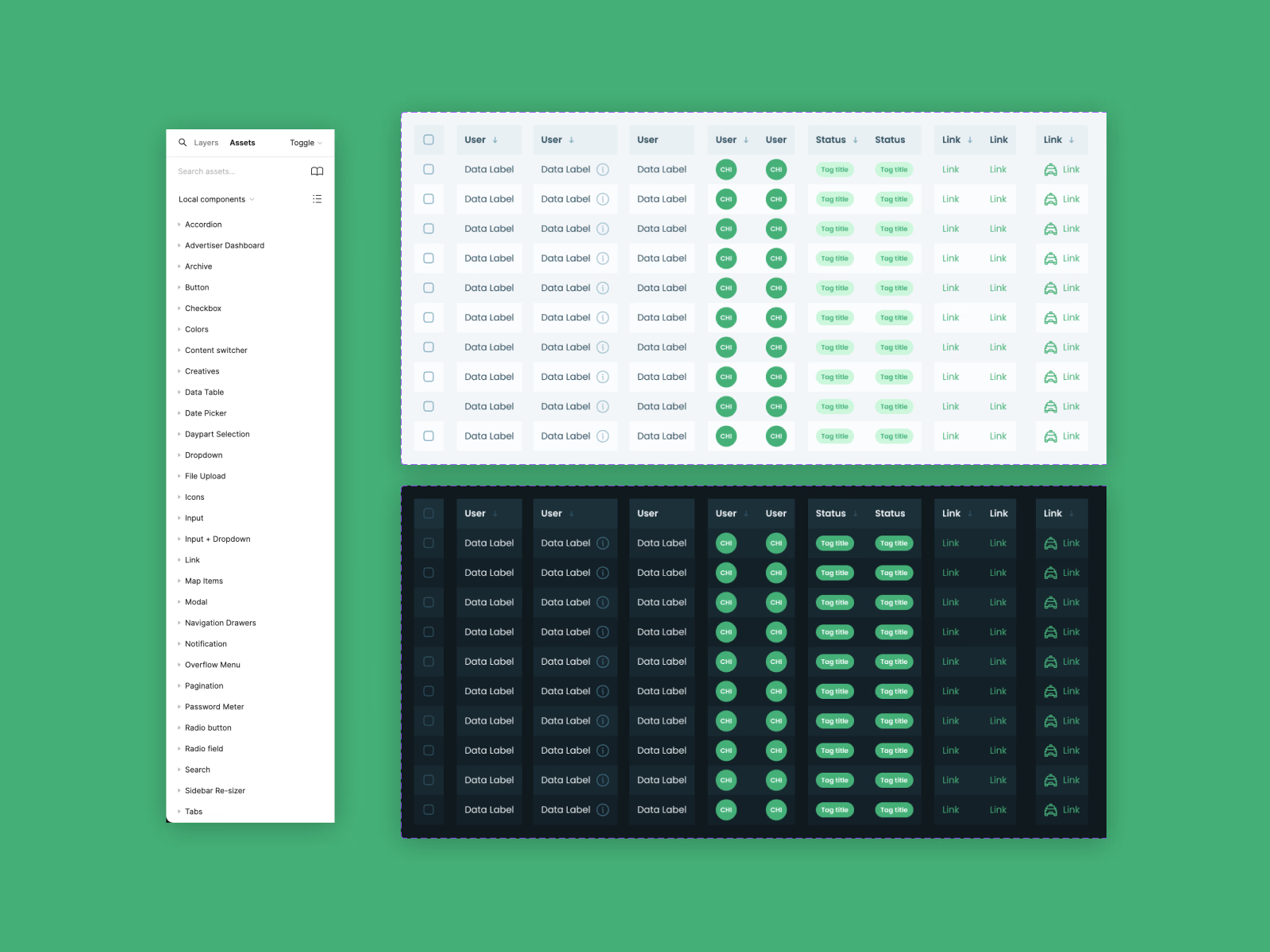
A moodboard set the visual direction for the new design language. Then, instead of redesigning screen by screen, I built the Firefly DLS alongside the first services: tokens, layering, typography and a component library, documented in Storybook and Style Dictionary. Every new product shipped on the same foundations, in both dark and light themes.
One hub, every service a click away
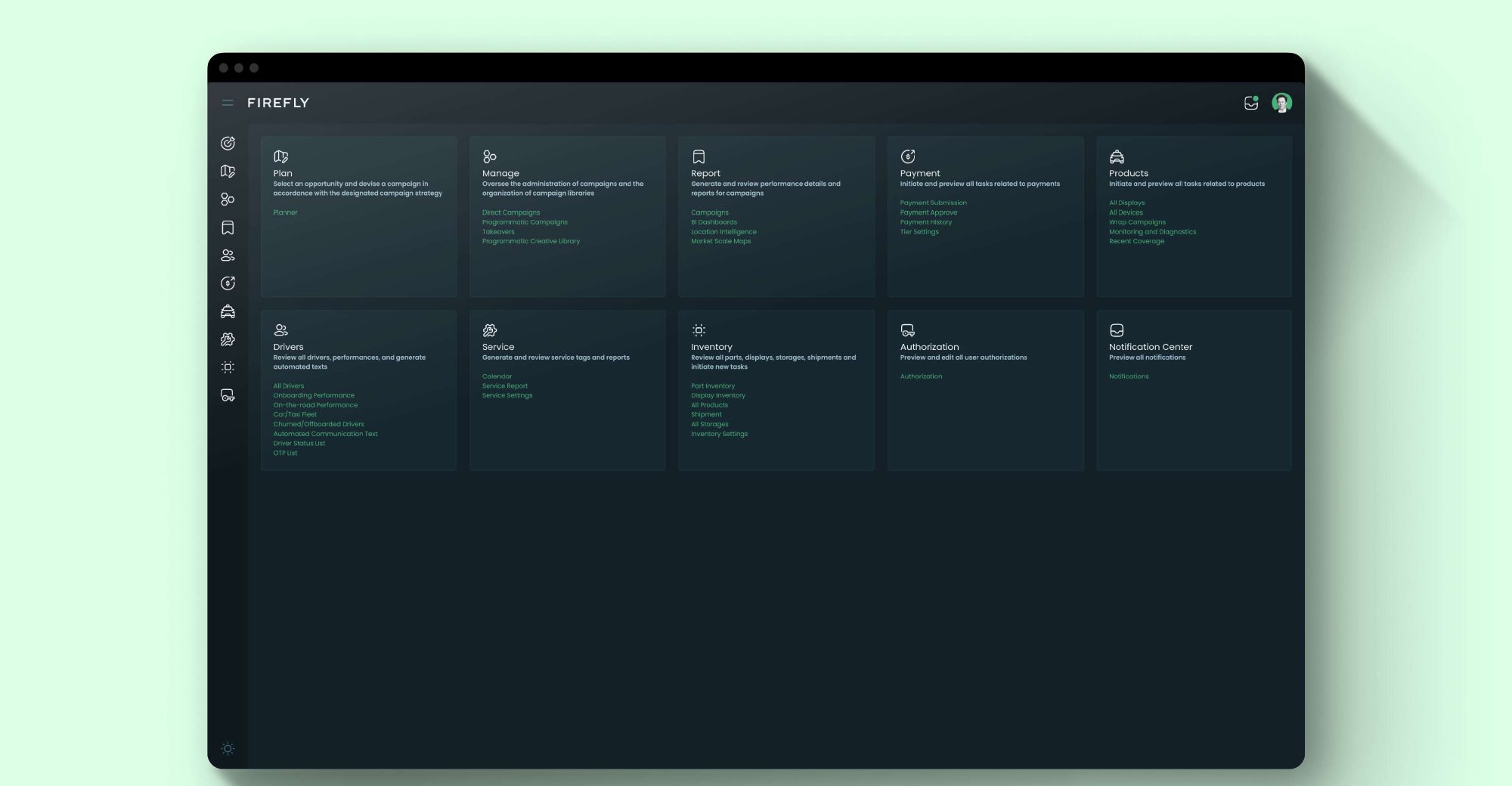
The legacy app hid services behind nested menus. The new landing page lays out every area (Plan, Manage, Report, Payment, Products, Drivers, Service, Inventory, Authorization and Notifications) as cards with direct links to their most-used views.
Self-service by design
Complex setup tasks became guided, step-by-step flows with draft states, clear status badges and CRM sync from Salesforce, so sales and customers could create opportunities and campaigns without routing every request through the ops team.
Put location data on the map
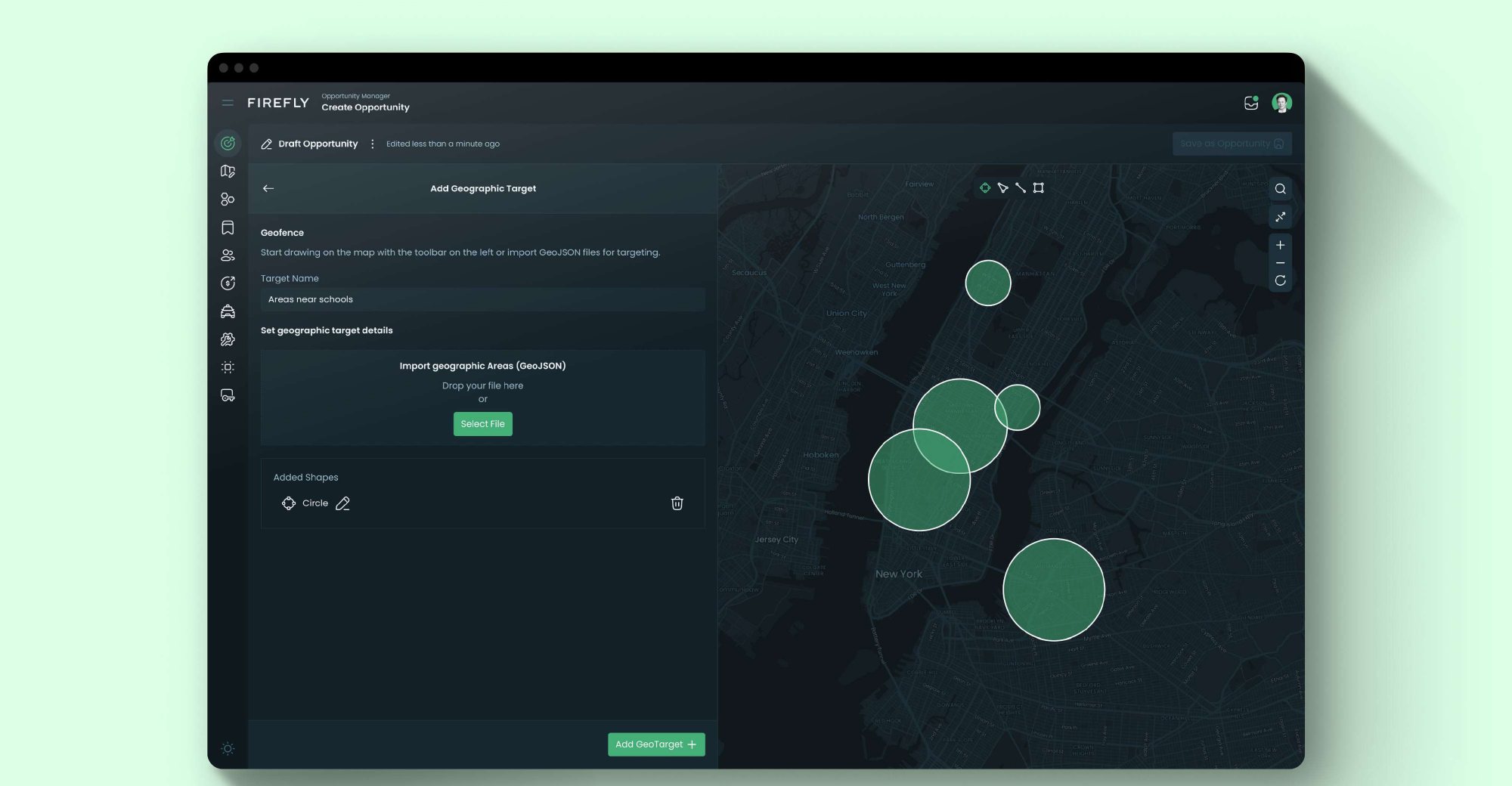
Coverage, geofences, audiences and delivery are spatial by nature. Key views pair a working panel with an interactive map, so users draw targets, check inventory and read performance where the data actually lives.
Validate early, then refine
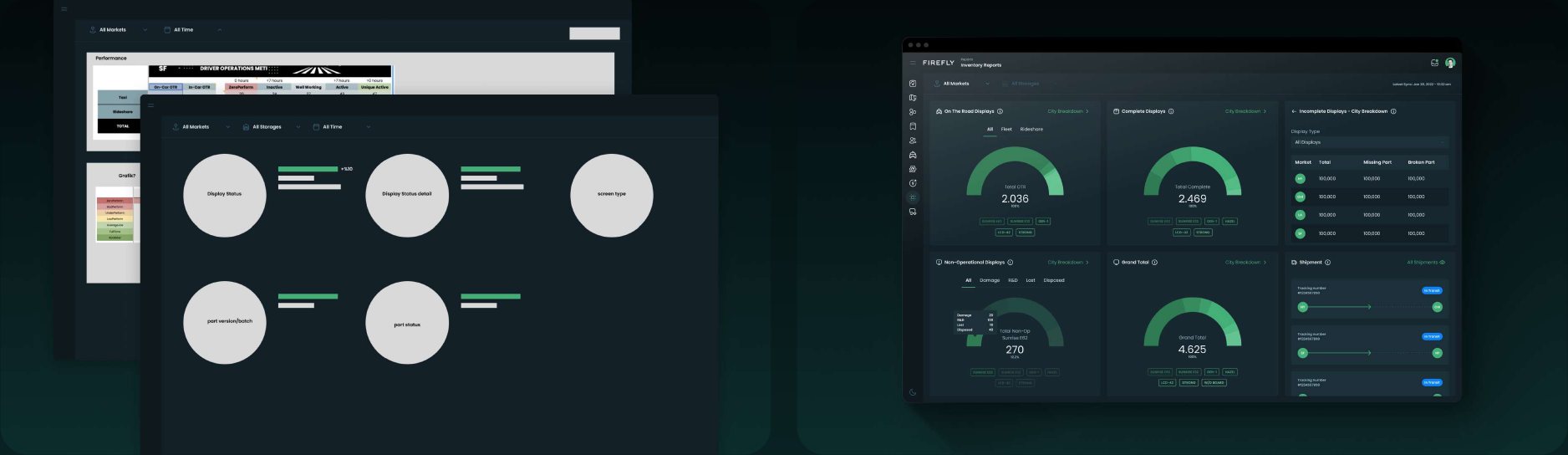
I explored concepts in wireframes with product managers and engineers, refined them into visual design based on their feedback, and prototyped the key interactions before build.
04
The solution
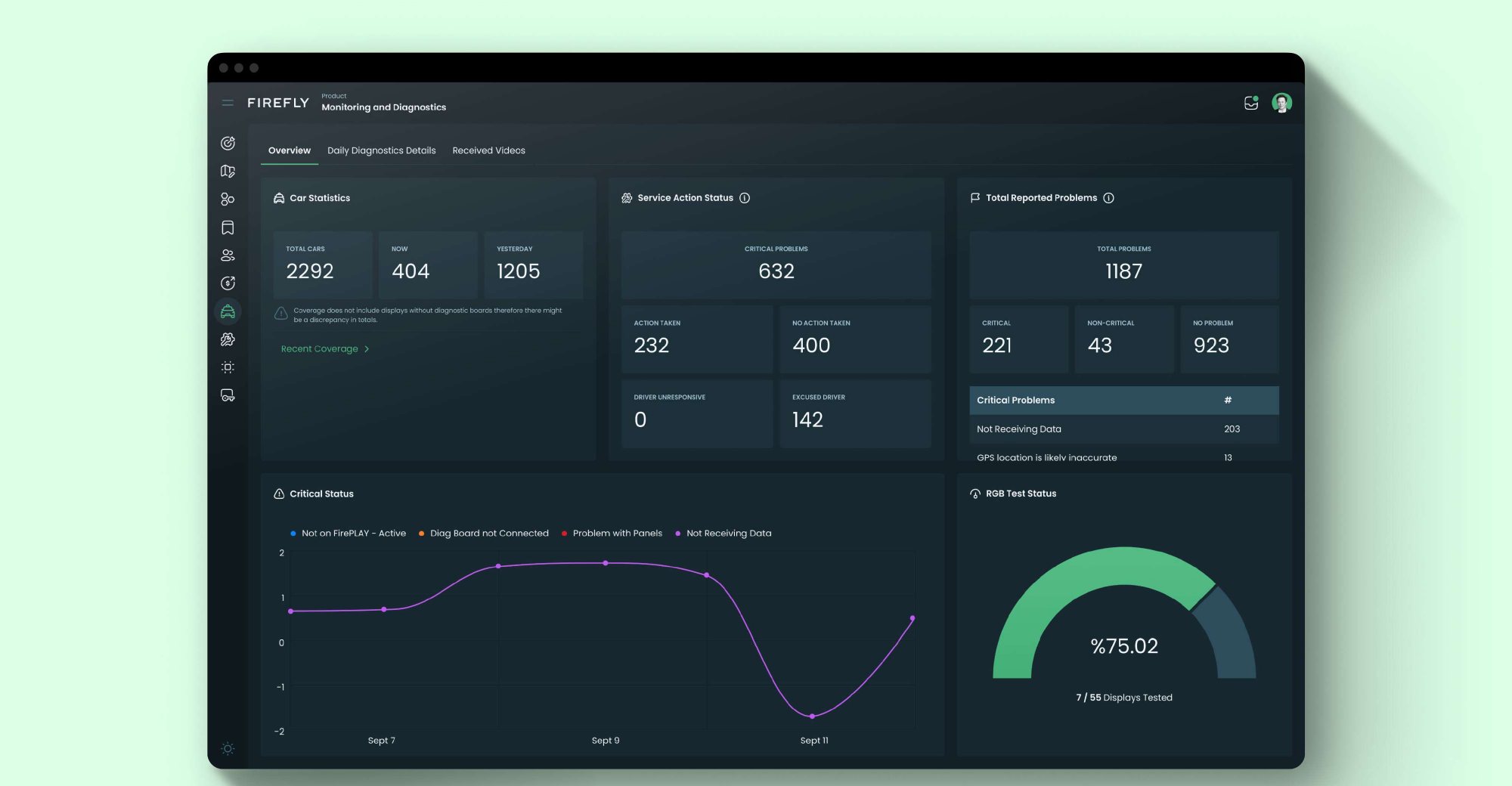
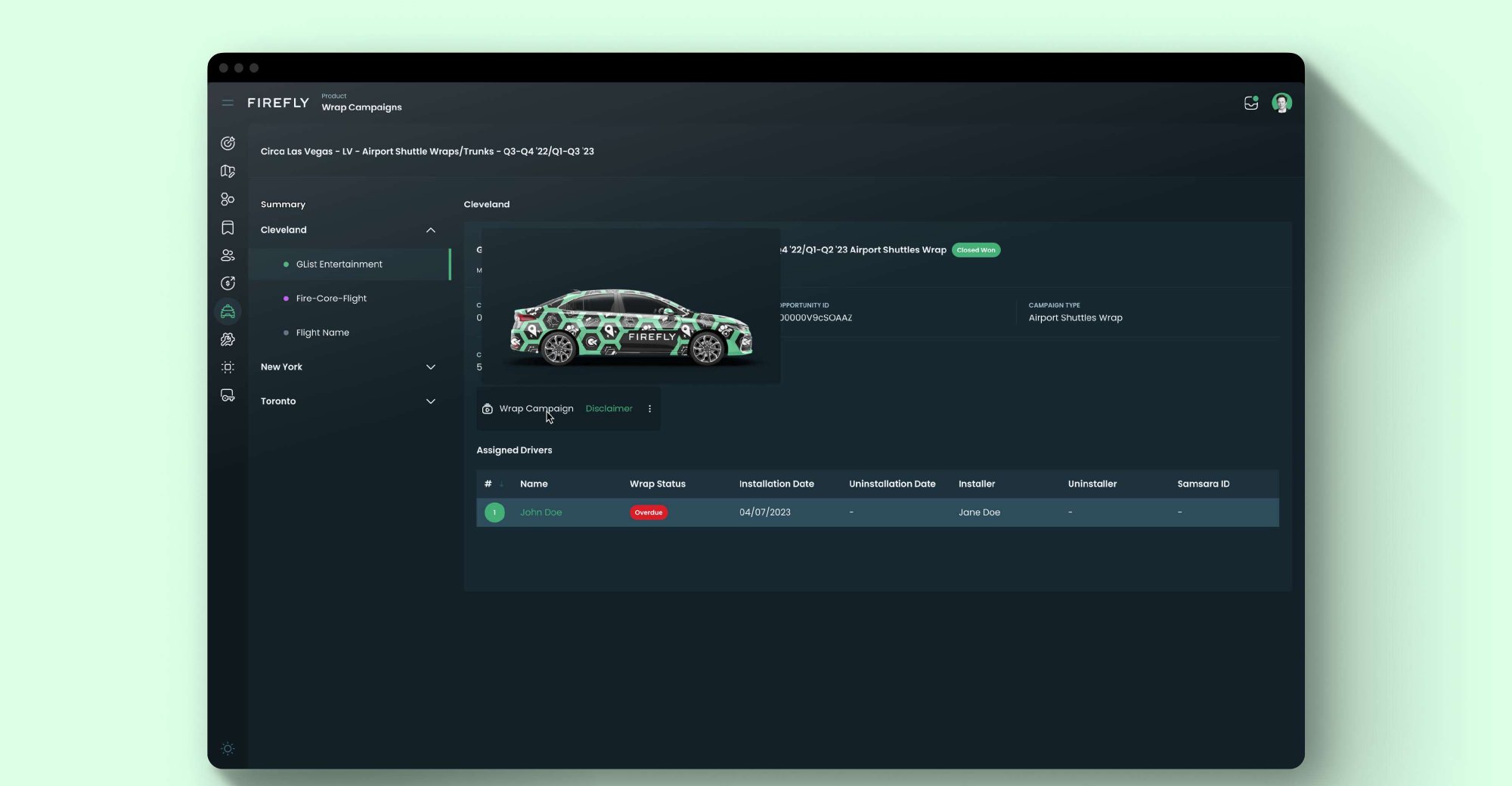
The redesign shipped as improved Supply Ops services, such as driver details, wrap campaigns, monitoring and coverage, plus five new products, all built on the same design language system.
Opportunity Manager
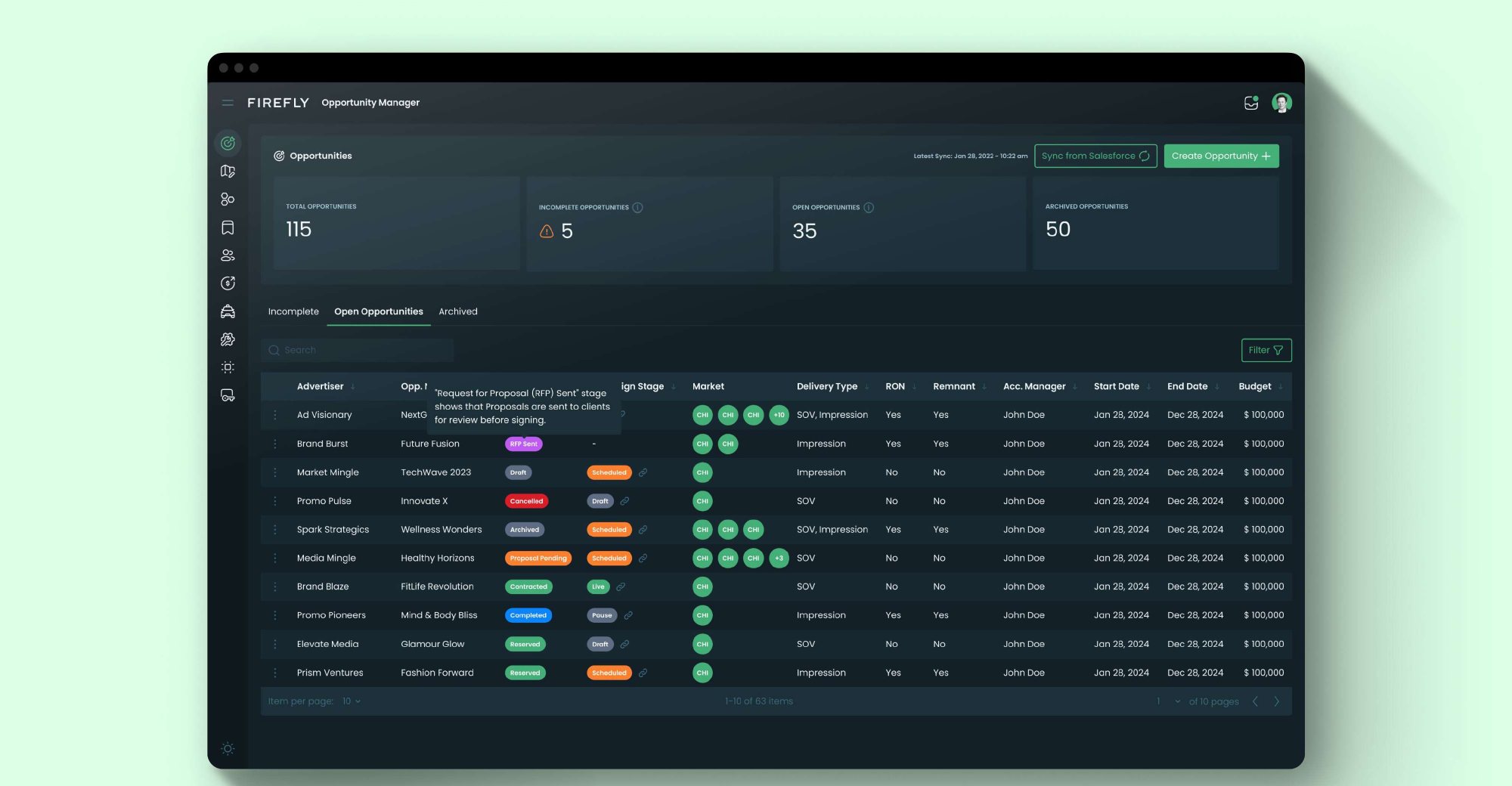
Sales pipeline & CRMSales pipeline and customer relationship management, synced with Salesforce. Opportunities move from draft to contracted with market-level geotargeting built into the creation flow.
Campaign Manager
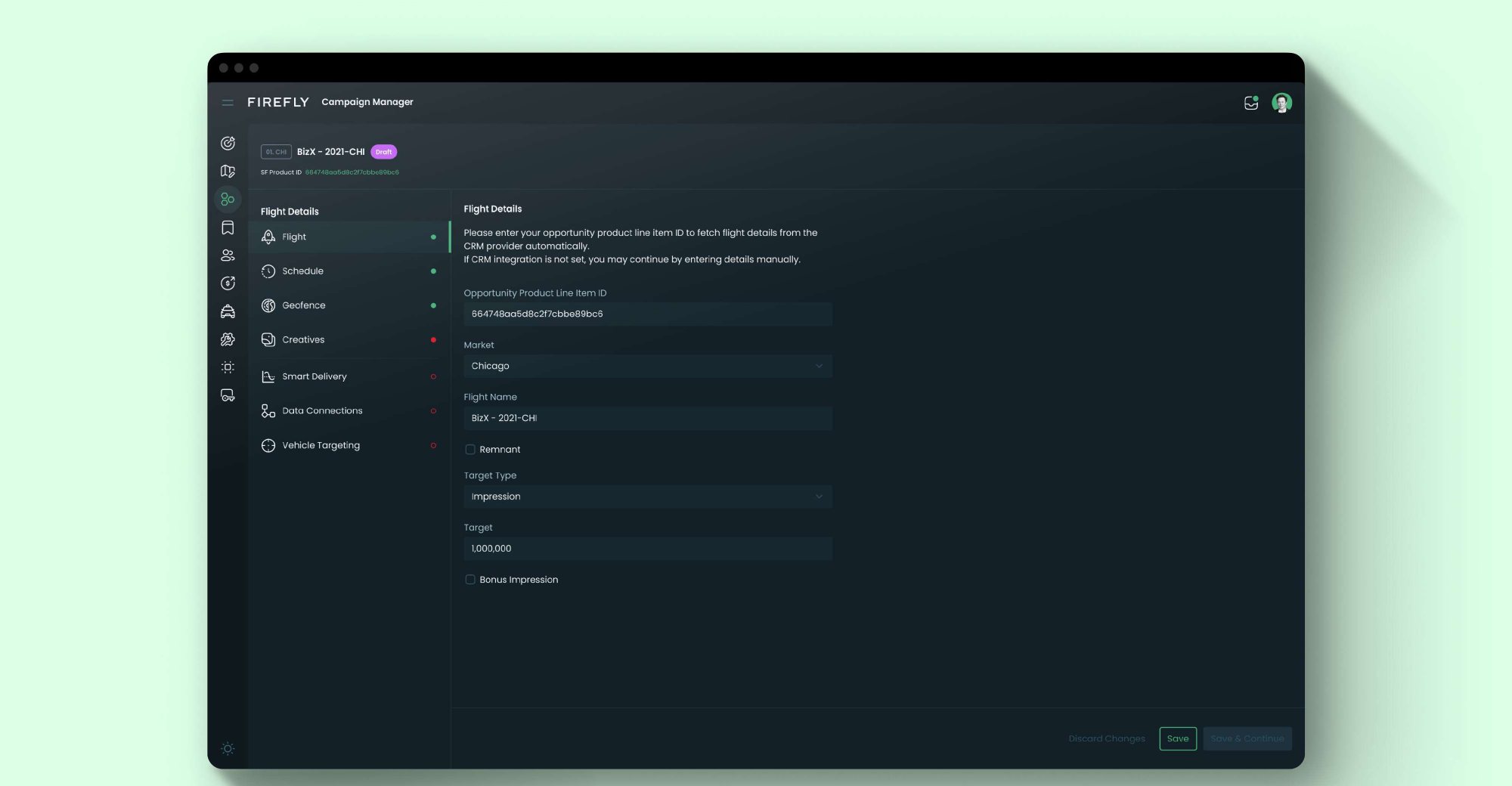
Campaign managementDirect and takeover campaigns in one place, with a step-by-step flight setup covering schedule, geofence, creatives, smart delivery, data connections and vehicle targeting.
Campaign Planner
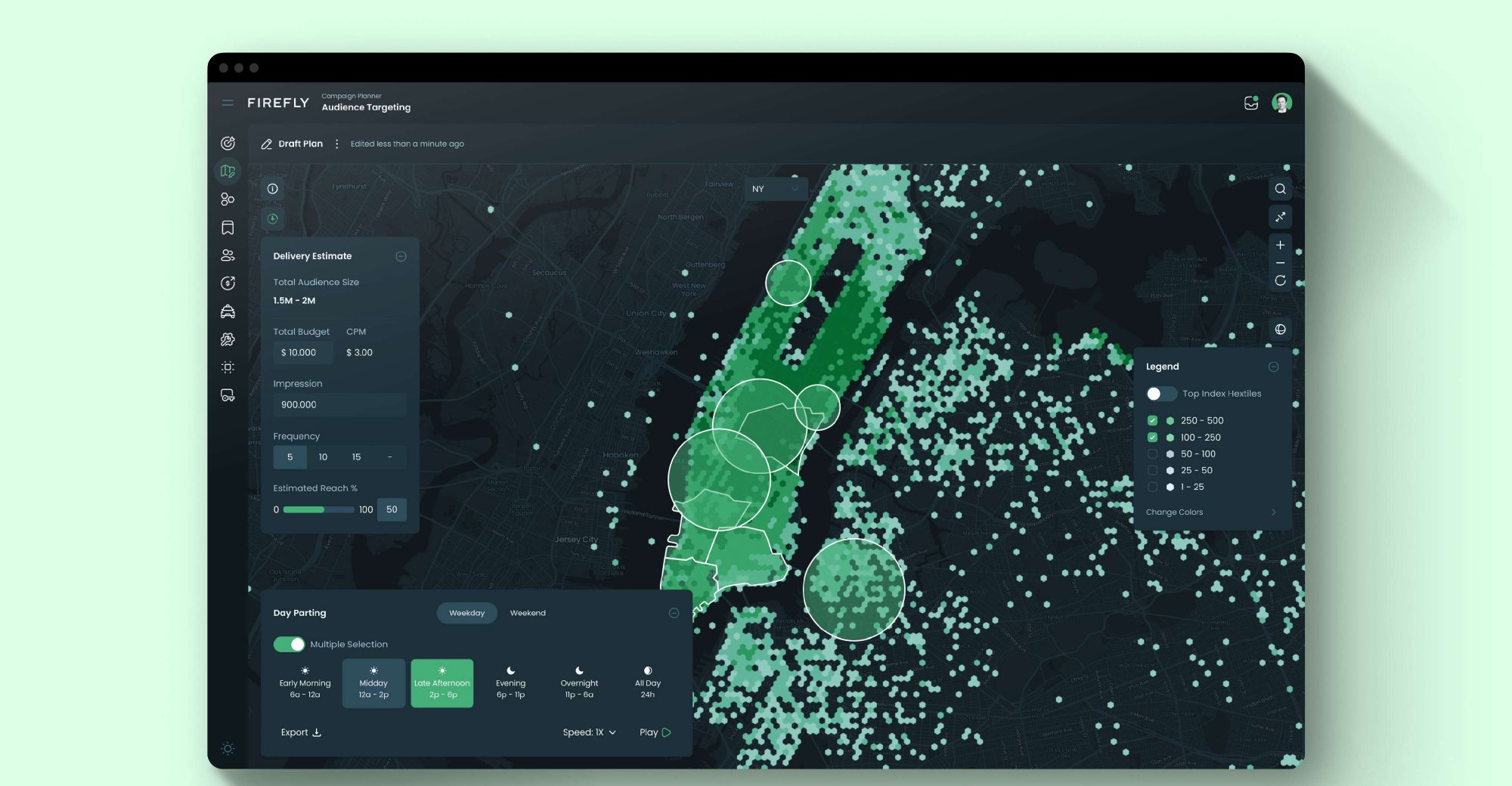
Audience planningAn audience planning tool: import audience files, layer them with geotargets on a hexagon heat map, and estimate reach, impressions and budget with day-parting before a campaign is sold.
Campaign, Inventory & Driver Ops Reporting
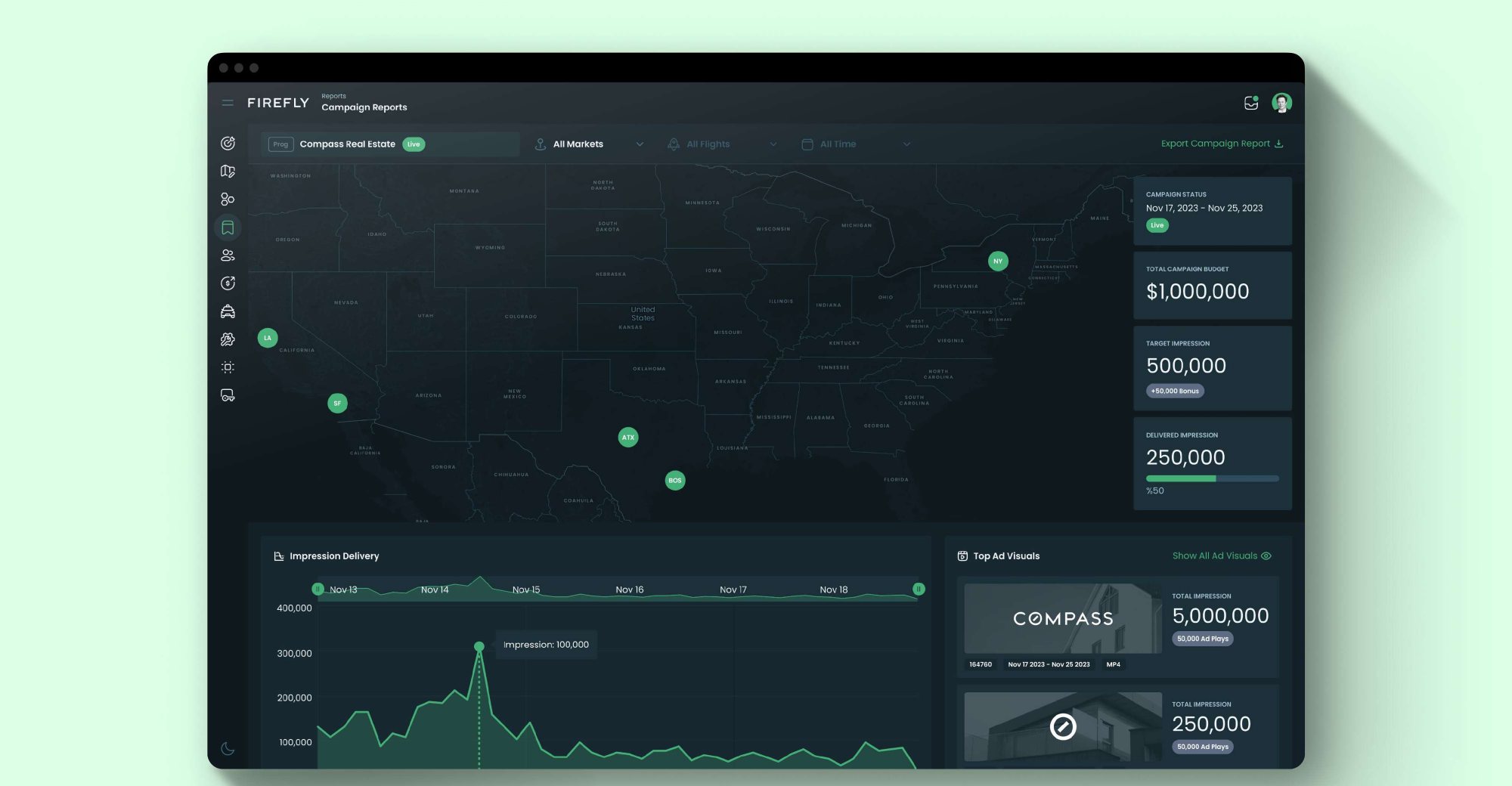
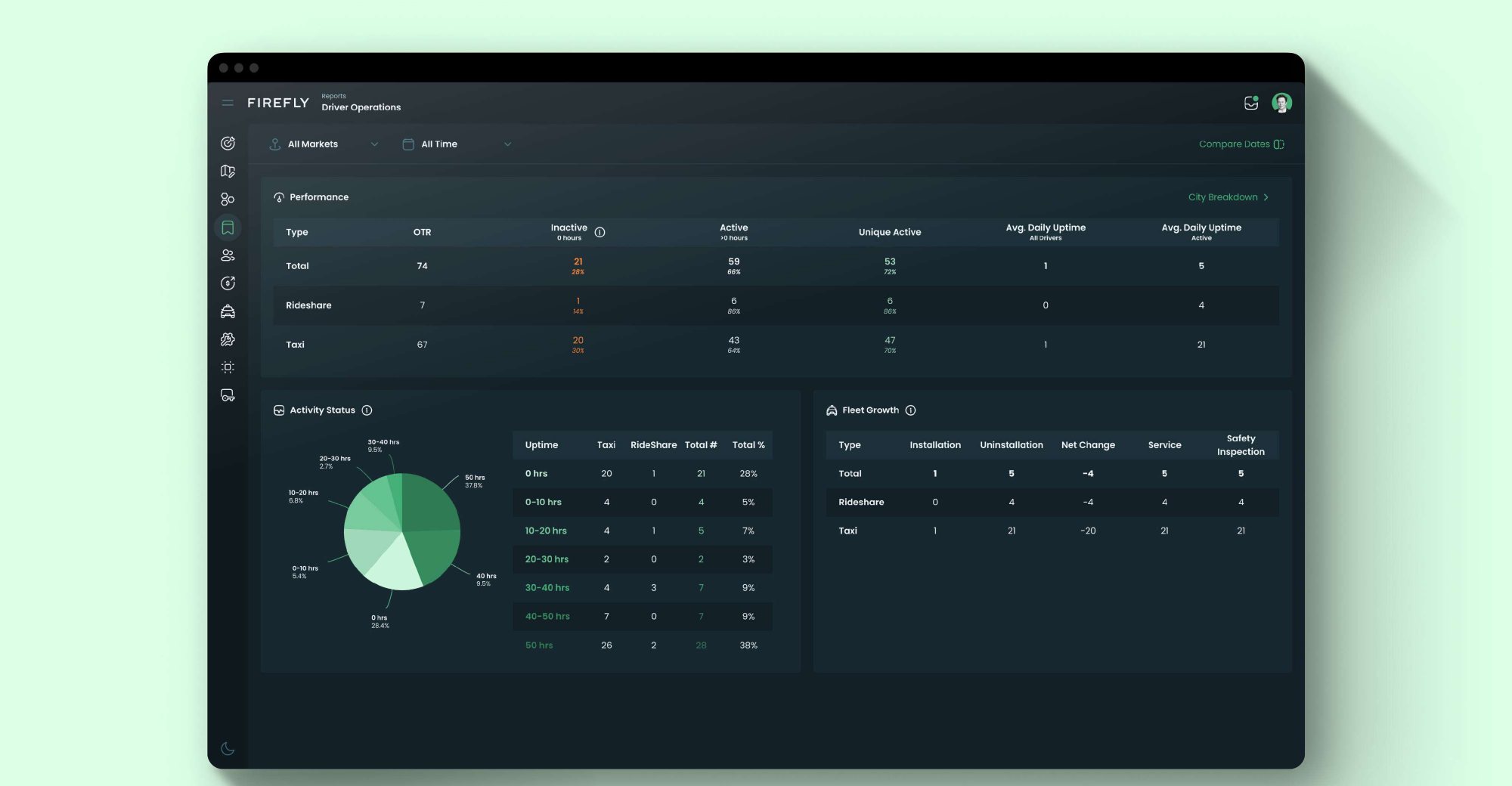
ReportingPerformance tracking for campaigns, real-time inventory visibility with chart and list views, and driver activity and fleet growth, so each team works from the same numbers.
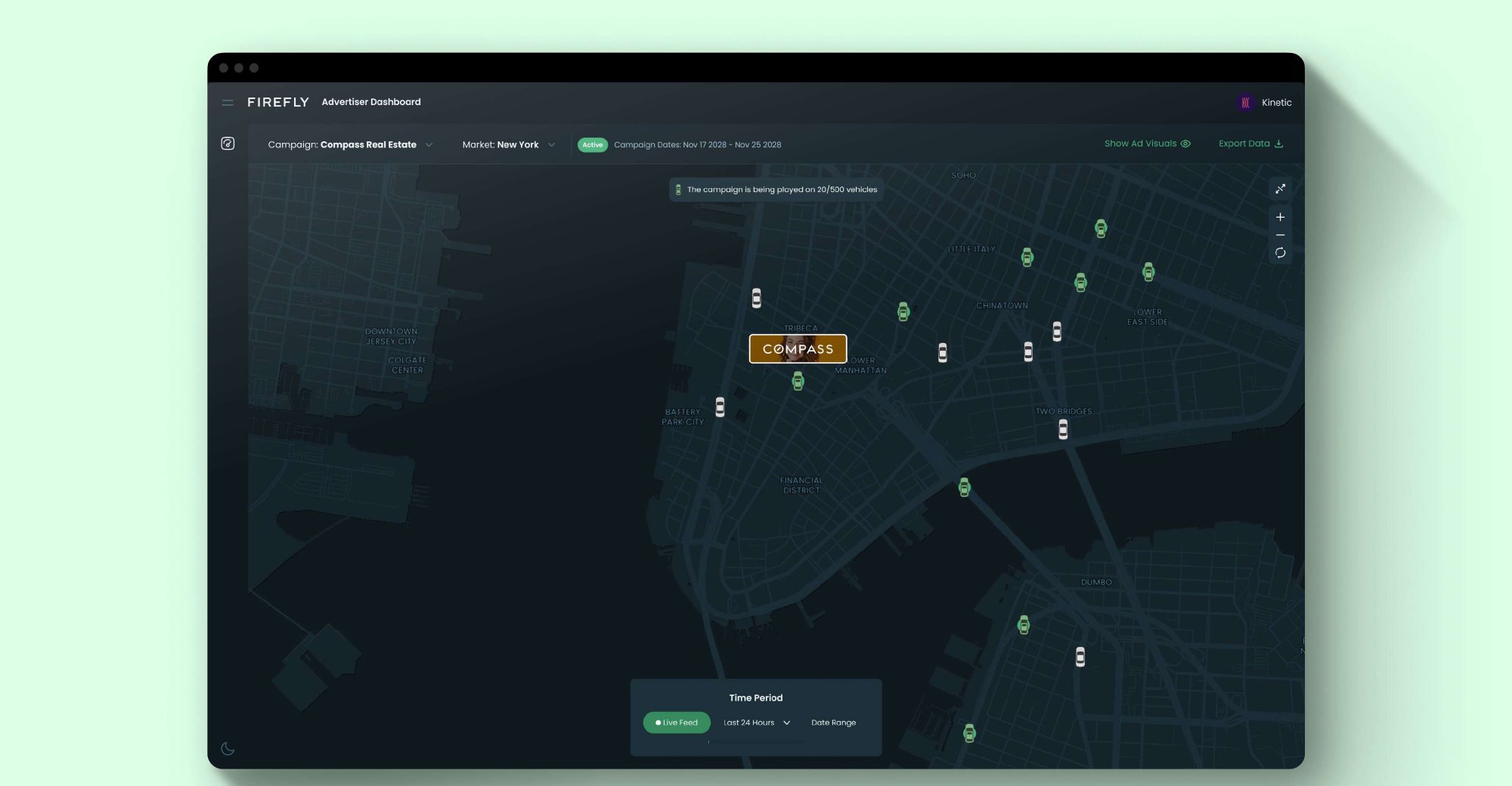
Advertiser Dashboard
Client-facingA client-facing view where advertisers follow their campaign live on the map or over a chosen time period, without needing to ask the ops team for reports.
05
Impact
Sales rates increased by 30% with the new products launched, and are still growing. During the planned design process, 5 new products were integrated into the platform.
Because I built the design system alongside the first services, new products arrived consistent by default instead of being retrofitted later.
06
Takeaways
Foundations compound
Investing in the design language system before individual screens is what made five launches possible on one team's capacity.
Respect existing behaviour
Mapping the flows people already used kept a large redesign from breaking daily operations, and made the new structure easier to adopt.
Self-service is a business lever
Letting customers create and follow campaigns themselves showed up directly in sales and revenue, not just in usability.
Driver Companion
Updated last, 2026.